 Numen
NumenFrom $0.95/day
Less than a coffee. Plus is $348/year, billed annually.
Turn your tasks and calendar into a clear daily plan.
Make time for work, rest, and the things you love.
Click me. I’ll show you what I can do.
You say it. Numen finds its place.
Type it or say it. A task, a note or a link — saved in seconds.Interactive demo · type, tap, and make it yours
Less than a coffee. Plus is $348/year, billed annually.
Try it with room to breathe.
No lock-in.
Plain files. Free export. A home for everything worth keeping.
AI planning, personal routines and your calendar, together.
CAPTURE IT
Type it, say it, or share it. Save your tasks, ideas and links
somewhere you’ll actually find them.
Your note goes here.
Choose a type and area, then save.
Try saving and checking off a task. This demo keeps up to five items until you refresh. Nothing is sent to a server.
Text, voice, links and files.
Save it before you forget it.
AI suggests the right area.
You can change it at any time.
Turn the idea into a task.
Keep its context attached.
PROTECT YOUR FOCUS
Your to-do list can’t compete with an endless feed.
Block distracting apps and make time for the work you chose.
Pick the distractions. Set your reason. See the reminder when you try to open a blocked app.
Finish my launch. Be present with my family.
Start the preview beside it.
App blocking on Android requires device permissions.
Multi-device blocking is coming. This demo does not block your apps.
MEET YOUR PERFECT DAY
Shape a rhythm for your whole life. Then let Numen plan the day
around your tasks, calendar and saved ideas — with journal reflections if you choose. Room for focus. Room for you.
Example schedule. Change the answers to make it yours.
Time reserved for you
Decide what matters before the day decides for you.
Time reserved for you
Goal + related notes · protected focus
A real rest makes the next block count.
From your to-do list · no distractions
One batch instead of checking all day.
Time reserved for you
Existing calendar event · stays in place
Ending on purpose lets you switch off.
Time reserved for you
Work is done. Be here.
A little every day adds up.
Preview uses Numen’s real scheduling engine with example context. In the app, AI helps assign your to-dos using your goals, calendar and saved notes. You review the plan.
YOUR SECOND BRAIN
Notes in one app. Files in another. Ideas lost in a chat.
Bring them together. See the connections. Pick up where you left off.
The message, the research and the ideas you want to try. Keep them with the project.
Part of your second brainNUMEN PRO YOUR AI AGENT WORKSPACE
Turn your notes into a brief. Send it to your connected AI tools.
Follow the work and review the result, all in one place.
Select a stage to see what happens. Your computer must be awake, with Numen’s runner enabled and the agent signed in.
00Brief ready. Waiting for you to run it.
Brief ready. Waiting for you to run it.
Interactive example · no real jobs are sent. Install and sign in your agent separately. Numen’s Windows app includes the local runner; bb is an optional connection.
Send a job from your phone to your connected desktop runner.
Schedule recurring jobs. Keep the results with the project.
See what your agents did. Decide what happens next.
Connect your own AI accounts. Their subscriptions and usage are separate.
Desktop jobs need your computer and runner online.
HANDS FULL? JUST ASK.
Give a voice command. Hear a spoken reply.
Capture ideas and manage your next steps without typing.
Add a task. Save an idea. Ask for a plan.
Select a command to hear Numen’s voice. This browser has no microphone.Send the proposal, tomorrow at 10. Here is the task preview.
Tomorrow · 10:00
Choose a command. Hear the reply in Numen’s voice.
Interactive preview with Numen’s voice. No tasks or notes are saved by this preview.
PHONE. DESKTOP. WEB.
Your tasks and saved context, wherever you work.
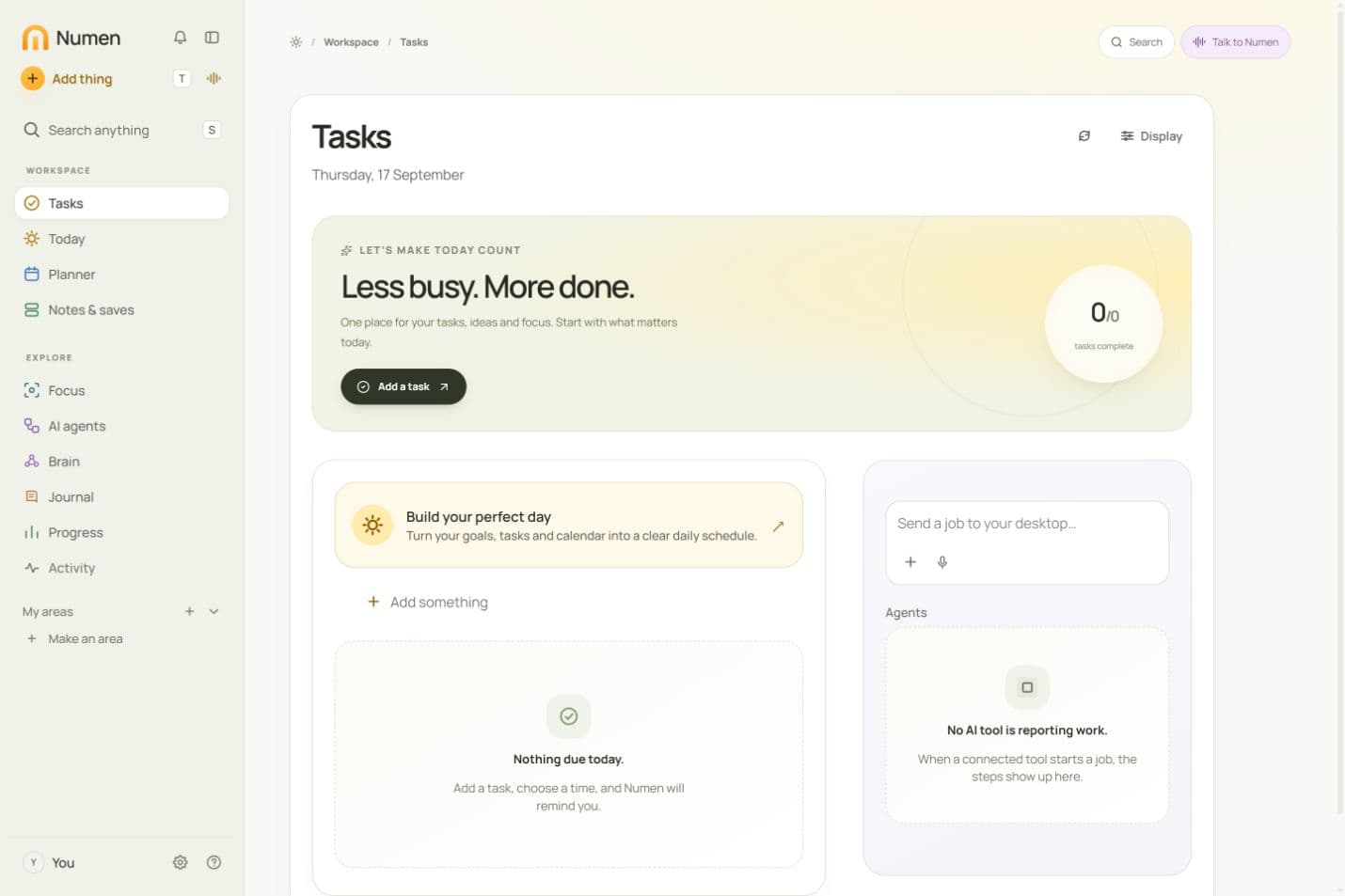
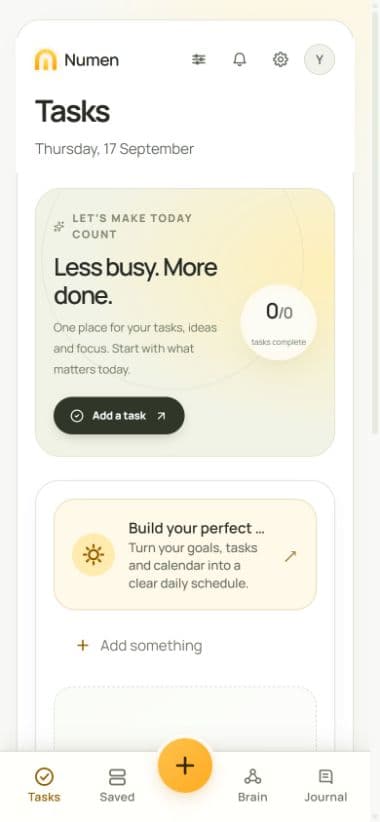
ROOM FOR REAL STORIES
Illustrative stories from our design drafts. These are not customer reviews; real testimonials will appear here when available.
“I stopped keeping any of it in my head.”
“The next day it asks me if I did it. That part I wasn’t ready for.”
I text myself all day. Then I can’t find any of it. Four hundred messages sitting in a chat, and I’ve read maybe six of them. Now each one gets put somewhere, and it comes back and asks me about it.

The notes app I had took so long to open on my phone that I stopped writing in it. I wanted something small that just drops the note in. This is that. I opened the files myself first to check. Plain text, nothing weird.

My old list was a graveyard. Things I was never going to do, sitting there making me feel bad. This one asked if I still wanted the pricing page. It was the third time I’d moved it. I did it that night.

The thoughts come when I’m driving. I don’t want to think about where it goes, I just want it out of my head. I just tell Numen now, and it’s in the right place by the time I sit down.

Every other productivity app made me set the whole thing up first. I watched hours of videos about folders and still ended up with a mess. Numen let me start on day one and sorted it out behind me.

CHOOSE YOUR PLAN
Plus for tasks, focus, your second brain and daily planning.
Pro adds your AI agent workspace.
Manage your tasks, plan your day and protect your focus.
$29/ month
$348 billed yearly
Save $120 a year vs. monthly
No payment taken at signup
Your daily productivity tools:
Everything in Plus. Coordinate your connected AI agents.
$59/ month
$708 billed yearly
Save $240 a year vs. monthly
No payment taken at signup
Everything in Plus, and:
Connect your own AI accounts. Agent subscriptions or API usage are paid separately. Desktop jobs need your computer and runner online.
| What’s included | Plus | Pro |
|---|---|---|
| Notes, links, images and voice capture | Included | Included |
| AI filing and voice transcription | Included | Included |
| Tasks, focus sessions and weekly record | Included | Included |
| Your Perfect Day: AI-assisted daily planning | Included | Included |
| Search and connected notes map | Included | Included |
| Local files, Obsidian compatibility and export | Included | Included |
| AI agent orchestration | Not included | Included |
| Send jobs from phone to desktop | Not included | Included |
| Recurring agent jobs and work tracking | Not included | Included |
| Connected agents reading and writing via MCP | Not included | Included |
Your notes stay yours. On either plan. Even after you leave.
BEFORE YOU START
Plans, platforms and how Numen works.
Numen for Windows includes its local job runner. Install your chosen agent separately, sign in through that provider, add a project folder and enable the runner in Settings. Keep your computer awake and Numen open or in the tray. bb is an optional separate connection; on Windows, bb itself requires WSL2.
Numen combines task management, focus sessions, a second brain for your notes and files, and an AI-assisted daily planner. Capture by text or voice. Pro also lets you direct connected AI agents from the same workspace.
App blocking is implemented in the Android app and requires device permissions. Desktop and broader multi-device blocking are planned. The browser version cannot block other apps. The focus preview on this page does not block anything on your device.
First, build and edit a reusable rhythm for work, rest, routines and the people you love. Then Numen suggests a plan for each day using your to-dos, synced calendar commitments, recent saves and optional journal reflections. Add anything different today, review the suggestion, and accept it when it feels right. Your framework stays yours.
Start with a note. Numen gives you a starting set of areas, and you can change the filing as you go. You can organize by business, project or the rest of your life without building a system before saving anything.
Plus covers capture, AI filing, voice transcription, tasks, focus and your notes map. It’s $39 monthly or $348 yearly. Pro adds AI agent orchestration, remote jobs, recurring jobs and connected-agent access through MCP, at $79 monthly or $708 yearly. Prices are USD before applicable taxes.
Your AI agent subscriptions and API usage are paid separately to their providers. Pro coordinates your connected tools. Desktop jobs need your computer and its runner online. Built-in note filing and voice transcription are included in both Numen plans.
Yes. Numen is available for Windows, Android and the web. Use the download page for the right option for your device. On iPhone, use the browser version; we are not advertising a native iOS app.
Your local files stay yours, and export stays free. Open your folder in Obsidian or another Markdown editor. You pay for the work Numen does, never to get your own notes back.
Cloud features do use online services. AI filing sends note content, and transcription sends audio, to the relevant provider. Connected agents can access the context you give them permission to use. Read the privacy policy for the details.
There is no free trial or lifetime plan advertised with this offer. Creating an account does not take a payment or activate a subscription. Your first payment comes with a 30-day money-back guarantee, no questions asked. Details are in the refund policy, linked below.
MAKE TODAY COUNT
Plan your day. Protect your focus. Finish the work.